
What is StoryGlass?
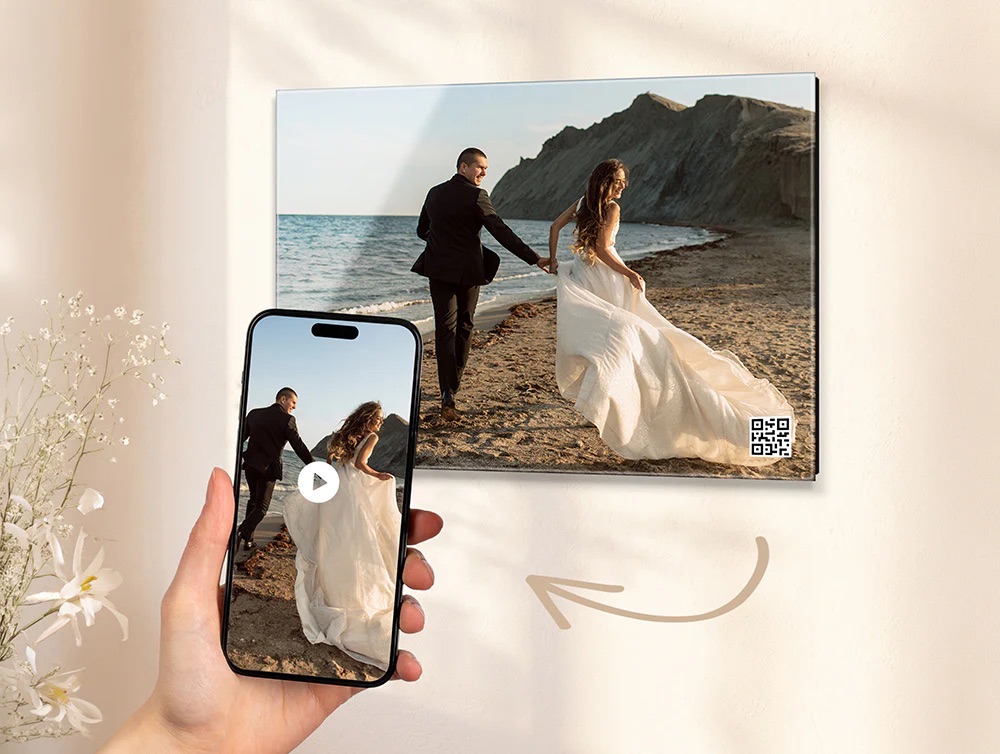
StoryGlass allows you to attach a short video or audio file—a toast, a laugh, a lullaby—to your print using a QR code printed directly on the glass. This code will be 3/4 of an inch wide (on all print sizes), and you can select either one of the four corners to have it printed.
Simply scan the QR code on your print using a mobile device, and you'll be linked to a private landing page where you can enjoy the special moment again and again. Because some memories deserve more than a snapshot!
How do I order StoryGlass?
If your video or audio file is 200MB or less, you can upload it directly to our site using the steps below.
If the file you wish to use is larger than 200MB, you'll need to first upload it to a 3rd-party platform (like YouTube, Vimeo, or SoundCloud) before you can link the URL to your print. Check out the bottom of this guide for more info.
- Click on the following link to go to the StoryGlass page of our site: Glass Print with StoryGlass
- Click on the Upload Your Photo button to select the image you wish to order.
- Select a print size and shape that you wish to order, and crop your photo as needed.
- Then, click on the green Add Story button under the print preview, and you'll see a pop-up window to upload the video or audio file from where it's saved on your device. After reviewing the file you've selected, click on Apply Changes to save.

If the file you're uploading is large, it could take a few minutes to process, so please be patient.
If you are using a mobile device, ensure you are connected to Wi-Fi, which typically offers faster and more reliable connectivity. (Your cellular data will be much slower.)
-
After your video or audio file has successfully uploaded, give our site another minute to create a personalized QR code! You'll see that QR code displayed on your print's preview—choose the corner that looks best for your image, and the preview will update. Click on Accept Story to save.

- Our site will take you back to the main product page. When you're ready to finalize this item, click Add to Cart to proceed with your order.

What type of files can I upload directly to Fracture?
Our site accepts the following video and audio file types:
.mp3, .mp4, .mov, .avi, .webm, .ogg and .wavit
We cannot accept .wmv files.
What if my file is larger than 200MB, or a file type that the site won't accept?
Before placing your order for a Fracture print, you'll need to upload your video or audio file to another website so that it's hosted somewhere on the internet. YouTube and Vimeo are popular for videos, and Soundcloud is for audio-only files.
Below are some helpful links to more info about these websites. If you have not previously uploaded a video or audio file, then you'll need to start by making an account.
Create an account on YouTube > Create a YouTube channel > Upload YouTube videos
Join Vimeo > Upload your videos to Vimeo
Creating an account on SoundCloud > How do I upload a track to SoundCloud?
Please note that YouTube Shorts or Live videos cannot be linked to StoryGlass. Instead, you'll need to locate the original YouTube video, and then you can link that URL to your print.
Once you have the URL where your video is being stored, you can place your order on our website. During step #4 above, you'll see the option to add a link from another website by clicking on the Add Your Link Here button. Paste your URL into the following pop-up window and click Apply Changes to save.
